Reviewed by XmasGoat Editorial · Updated
Why Logitech Pebble Keys 2 works as a Christmas gift
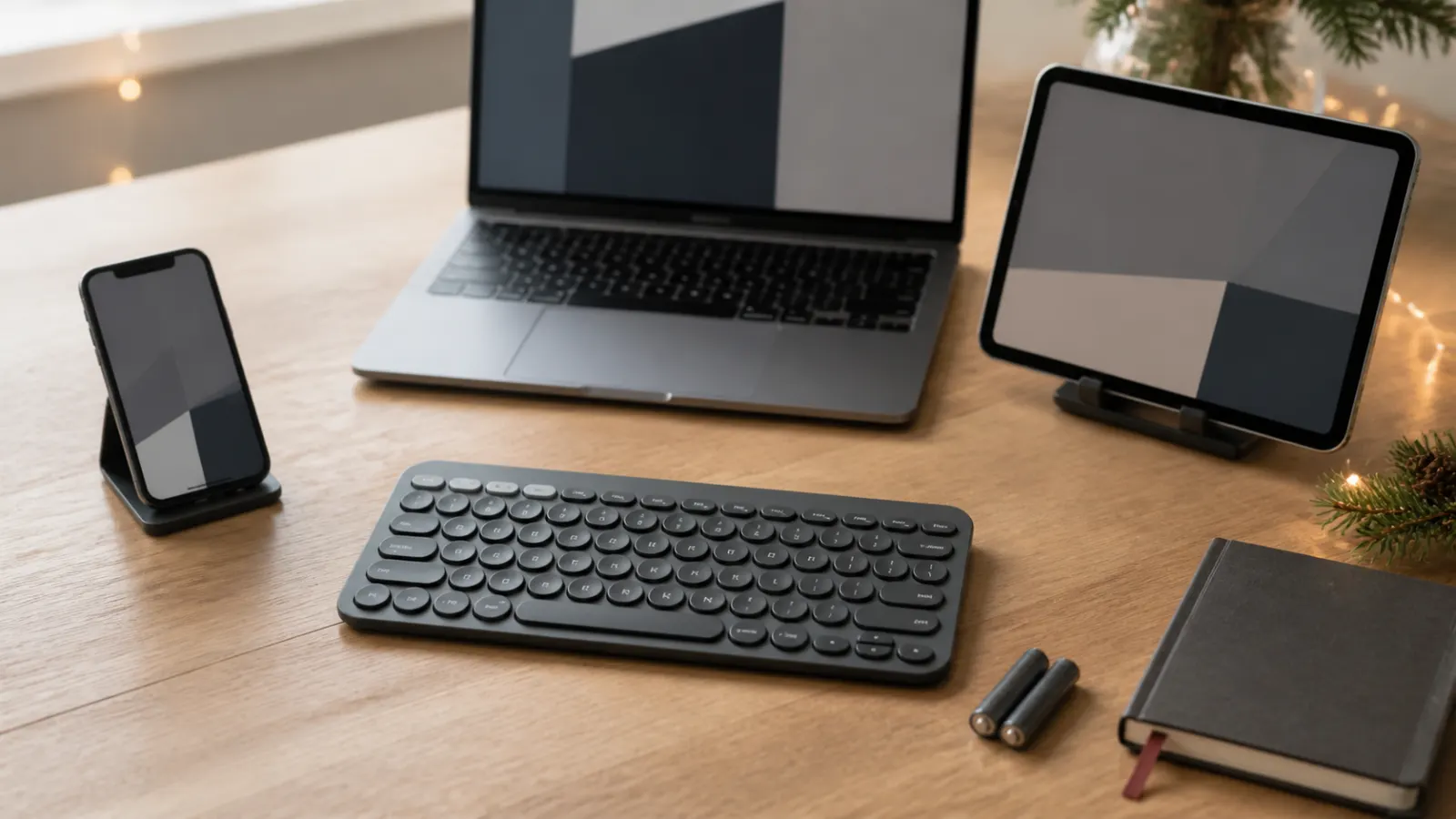
Typing a long message or document on a tablet screen gets old quickly. Pebble Keys 2 can remember a laptop, tablet and phone, then move between them using three clearly marked buttons.
- Easy-Switch keys remember up to three paired devices
- Slim 279-by-124-by-16 mm portable footprint
- Two replaceable AAA batteries with a long manufacturer estimate
Who should receive Logitech Pebble Keys 2?
- A great choice for hybrid workers who alternate between a computer and tablet.
- A great choice for students who want real keys without carrying a full-size board.
- A great choice for quiet shared spaces and minimalist desks.
- Look elsewhere for gaming, heavy number entry or typing in dim rooms.
The verdict
A lovely small upgrade for someone who types everywhere
Pebble Keys 2 is a thoughtful gift for someone whose work or study follows them between a computer and tablet. The instant device switching is genuinely useful, and the compact design is much easier to live with than a full-size keyboard. It is not the universal choice, though: its keys are close together, its angle is fixed and it has no backlight or number pad. A larger adjustable keyboard is safer for an all-day typist.
Why it works
- Easy-Switch keys remember up to three paired devices
- Slim 279-by-124-by-16 mm portable footprint
- Two replaceable AAA batteries with a long manufacturer estimate
Tradeoffs
- No backlight, numpad or adjustable feet
- Circular compact keys and fixed angle will not suit every typist
As an Amazon Associate, XmasGoat earns from qualifying purchases. Choose Canada or the United States for local pricing.
What to check before buying Logitech Pebble Keys 2
- Match Pebble Keys 2 K380s rather than the original K380 or a Pebble 2 keyboard-and-mouse combo. Model, bundle contents and colour should be explicit.
- Buy the correct physical key layout for the recipient's language and region. Software can change input mapping, but it cannot change the legends printed on the keycaps.
- Logitech lists compatibility with current Windows, macOS, iPadOS, iOS and Android devices that support Bluetooth Low Energy; confirm the recipient's exact OS and Bluetooth capability.
- The keyboard can also work with a compatible Logi Bolt receiver, but the receiver is not included and is not the older Logitech Unifying receiver. Bluetooth is the simplest included connection path.
- Logitech advertises up to 36 months from two AAA batteries, with actual life varying by user and computing conditions. The keyboard is not rechargeable and has no key backlighting.
- Logi Options+ can customize supported shortcut keys and provide battery alerts on compatible Windows and macOS systems. Mobile devices receive the core keyboard experience without every desktop software feature.
Logitech Pebble Keys 2 FAQs
How many devices can K380s connect to?
It stores three Easy-Switch pairings. Pressing one of the three device keys changes the active connection; it controls one selected device at a time rather than typing to all three simultaneously.
Is Logitech Pebble Keys 2 K380s rechargeable?
No. It uses two replaceable AAA batteries. Logitech's estimate is up to 36 months, but usage, batteries and operating conditions can shorten real life.
Does K380s include a USB receiver?
No receiver is included. The keyboard connects directly by Bluetooth Low Energy and is compatible with a separately purchased Logi Bolt receiver; it does not use the older Unifying receiver.
What changed from the original Logitech K380?
K380s is the Pebble Keys 2 update with customizable shortcut support through Logi Options+, a revised shortcut row and a longer advertised battery-life estimate. Check the exact model because listings sometimes use K380 and K380s names interchangeably.
Keep exploring gift ideas
Compare nearby recipients, budgets and products before making the final call.
Secret Santa gift ideas →
Browse more gifts organized for smaller exchange budgets and known recipients.
Christmas gifts for coworkers →
Compare more recipient-focused ideas before choosing the final gift.
Logitech Pebble Mouse 2 →
The Logitech Pebble Mouse 2 is a slim, quiet wireless mouse for laptops, tablets and shared spaces. See who will enjoy it and when to choose a larger mouse.
OXO Sweep & Swipe →
The OXO Sweep & Swipe cleans crumbs from keyboards and fingerprints from screens without a bottle. See who will use it and what it cannot clean.
As an Amazon Associate, XmasGoat earns from qualifying purchases. Prices, sellers and availability can change. Choose Canada or the United States for local pricing.