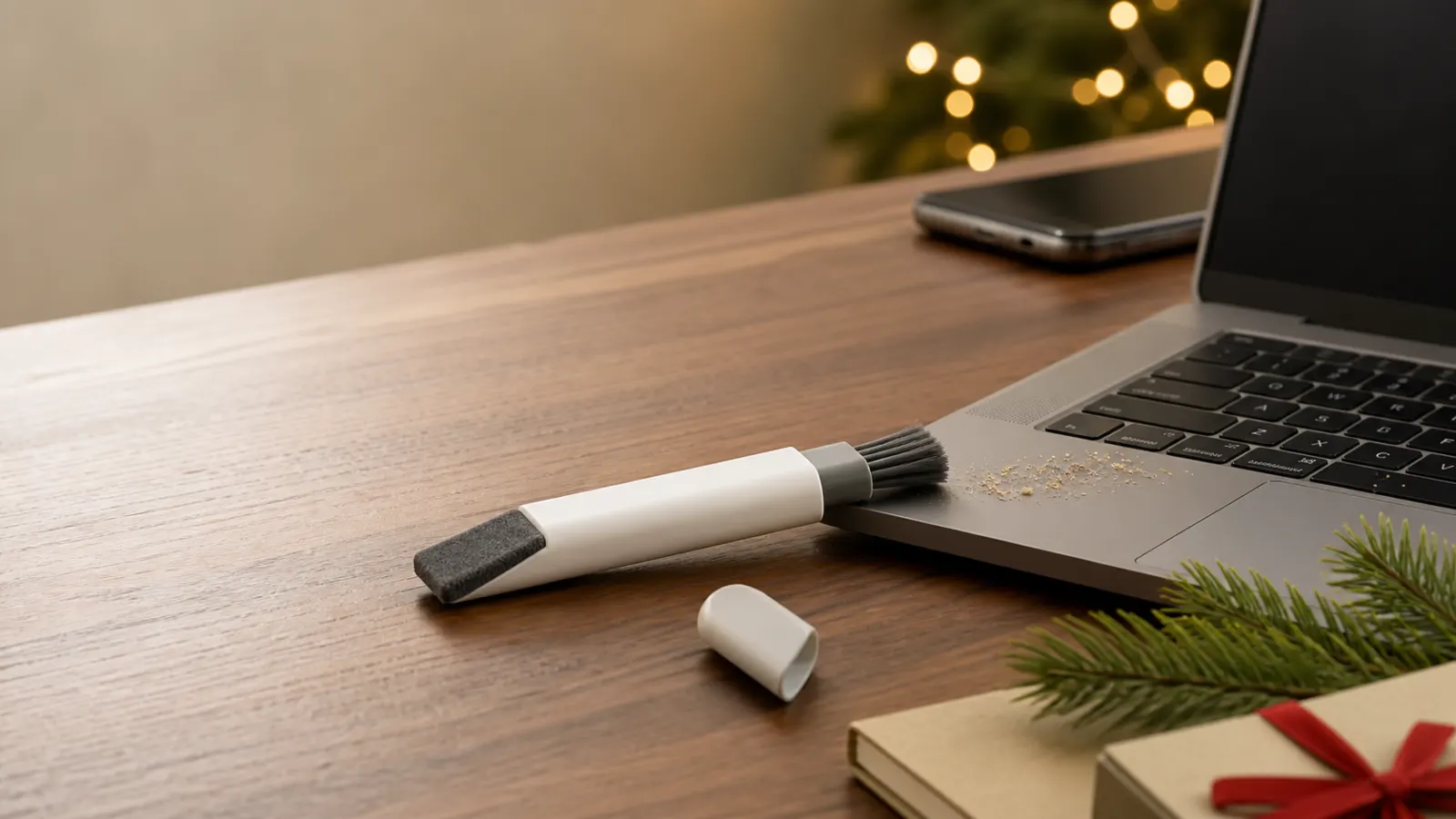
Representative compact double-ended laptop cleaner brushing crumbs from a keyboard beside a clean dark screen
Representative illustration — check the listing for the exact item.

XmasGoat gift guide

Curated pick

OXO Sweep & Swipe

A pocketable dry cleaner with a retractable keyboard brush and capped microfiber screen pad.

The OXO Sweep & Swipe cleans crumbs from keyboards and fingerprints from screens without a bottle. See who will use it and what it cannot clean.

$15–$25Laptops
♡ Add to my wish list

Choose Canada or the United States for local pricing. · affiliate link
Reviewed by XmasGoat Editorial · Updated

Why OXO Sweep & Swipe works as a Christmas gift

Most laptop mess is wonderfully ordinary: toast crumbs beside the trackpad, lint around the keys and fingerprints that appear as soon as the screen goes dark. Sweep & Swipe gives each annoyance its own cleaning end without asking the recipient to carry a spray bottle or hunt for a clean cloth.

  • Retractable soft brush targets loose keyboard debris
  • Shaped microfiber pad reaches screen corners
  • Cap and compact body protect both cleaning ends in storage

Who should receive OXO Sweep & Swipe?

  • A great choice for hybrid workers who carry a laptop between home and office.
  • A great choice for students, tablet users and anyone with a crumb-prone keyboard.
  • A great choice for an inexpensive coworker or Secret Santa gift.
  • Look elsewhere for a disinfectant, stain remover or full liquid-cleaning kit.

The verdict

A small, funny and genuinely useful desk gift

Sweep & Swipe works best as a lighthearted little gift with a practical life after the laugh. Its protected brush and pad make quick maintenance easy enough to repeat, especially at a shared desk or on the road. It will not remove sticky residue, disinfect a device or rescue a spill, so pair it with realistic expectations rather than presenting it as a complete electronics-cleaning kit.

Why it works

  • Retractable soft brush targets loose keyboard debris
  • Shaped microfiber pad reaches screen corners
  • Cap and compact body protect both cleaning ends in storage

Tradeoffs

  • Dry pad may not remove dried or sticky residue
  • Small built-in microfiber surface needs periodic hand cleaning

As an Amazon Associate, XmasGoat earns from qualifying purchases. Choose Canada or the United States for local pricing.

What to check before buying OXO Sweep & Swipe

  • Match the single OXO Sweep & Swipe tool, commonly listed under manufacturer number 12246100G. Some listings bundle it with a separate detail brush and may show confusing extra pieces.
  • OXO says it is intended for laptops, phones and tablets. Shut down and unplug the device, remove loose cables, and follow its manufacturer's cleaning instructions before touching a screen or keyboard.
  • Use the brush for loose, dry crumbs and dust rather than pushing debris deeper into ports or mechanisms. Never force bristles under fragile keys or into connectors.
  • The microfiber end is a dry pad, not a supplied cleaning solution. Do not pour or spray liquid onto the tool or device unless the device maker explicitly allows a particular method.
  • Spot-clean the microfiber with warm water and mild soap, blot with a clean dry towel and air-dry. Rinse the bristles, reshape them and let them dry flat while extended.
  • Let both ends dry completely before replacing the cap or retracting the brush. Trapped moisture and electronics are a poor combination.

OXO Sweep & Swipe FAQs

Does OXO Sweep & Swipe include screen-cleaning liquid?

No. It is a dry double-ended tool with a soft brush and microfiber pad. For stubborn marks, consult the device manufacturer's approved cleaning method rather than improvising with household chemicals.

Can it clean between laptop keys?

The soft retractable brush is designed to sweep loose dust and crumbs from keyboard crevices. Work gently on a powered-off device and avoid forcing debris or bristles beneath delicate key mechanisms.

How do you wash the built-in microfiber pad?

OXO directs users to spot-clean it with warm water and mild soap, blot away excess moisture with a clean dry towel and let it air-dry. Do not cap it while damp.

How is this different from the WHOOSH Screen Shine Duo?

Sweep & Swipe focuses on portable dry maintenance with a keyboard brush and fixed microfiber pad. The separate WHOOSH guide covers a liquid screen-cleaning kit with bottles and cloths for a different cleaning decision.

Keep exploring gift ideas

Compare nearby recipients, budgets and products before making the final call.

As an Amazon Associate, XmasGoat earns from qualifying purchases. Prices, sellers and availability can change. Choose Canada or the United States for local pricing.

Keep browsing

More laptops

See all
Representative photo-style image of creative professional laptop — generated, not a specific product

Gift ideaUsually over $100

Creative professional laptop

Tailored for content creators and artists, this laptop provides the necessary processing power and display quality for graphic design, video editing, and music production.

Representative photo-style image of durable student laptop — generated, not a specific product

Gift ideaUsually over $100

Durable student laptop

Built to withstand the rigors of academic life, this laptop offers reliability and essential performance for coursework, research, and online learning.

Representative photo-style image of everyday home use laptop — generated, not a specific product

Gift ideaUsually over $100

Everyday home use laptop

A practical option for general family use, handling tasks such as browsing, email, online shopping, and streaming media with ease.

Representative photo-style image of high performance gaming laptop — generated, not a specific product

Gift ideaUsually over $100

High performance gaming laptop

Designed for avid gamers, this machine delivers immersive experiences with powerful internal components capable of running demanding video games smoothly.