The verdict
A fun universal sync effect for viewers who accept visible hardware
Buy the 55–65-inch H6099 for a television near a pale wall, with enough rear clearance for the strip and controller, a stable top edge for the camera and an owner willing to tune saturation and white balance. It is a relatively affordable way to sync light with any content source. Skip it when a visible camera spoils the room, the TV sits far from a wall, the screen is highly reflective, adhesive is unwelcome, or colour precision and low latency matter more than source flexibility.
Why it works
- ✓ Camera capture follows built-in TV apps and external devices without routing video through another box
- ✓ RGBICW adds dedicated white capability instead of creating every neutral from RGB alone
- ✓ App scenes and solid-colour bias light remain useful when reactive video mode feels distracting
Tradeoffs
- × The single camera and room reflections cannot map colour as precisely as a direct HDMI signal
- × The top-mounted camera, control box, strip and cables remain physical additions to a clean television setup
- × Independent testing found it less bright than Govee's older T2, and default saturation can look exaggerated
Inspect the back, top and wall—not only the diagonal
- Confirm the TV is 55–65 inches and has a mostly flat, clean rear perimeter where the four strip sections and corner loops can adhere without covering vents.
- Check that the camera can sit securely at the top centre without blocking the picture, soundbar, wall mount, retractable screen or a very thin panel's safe handling points.
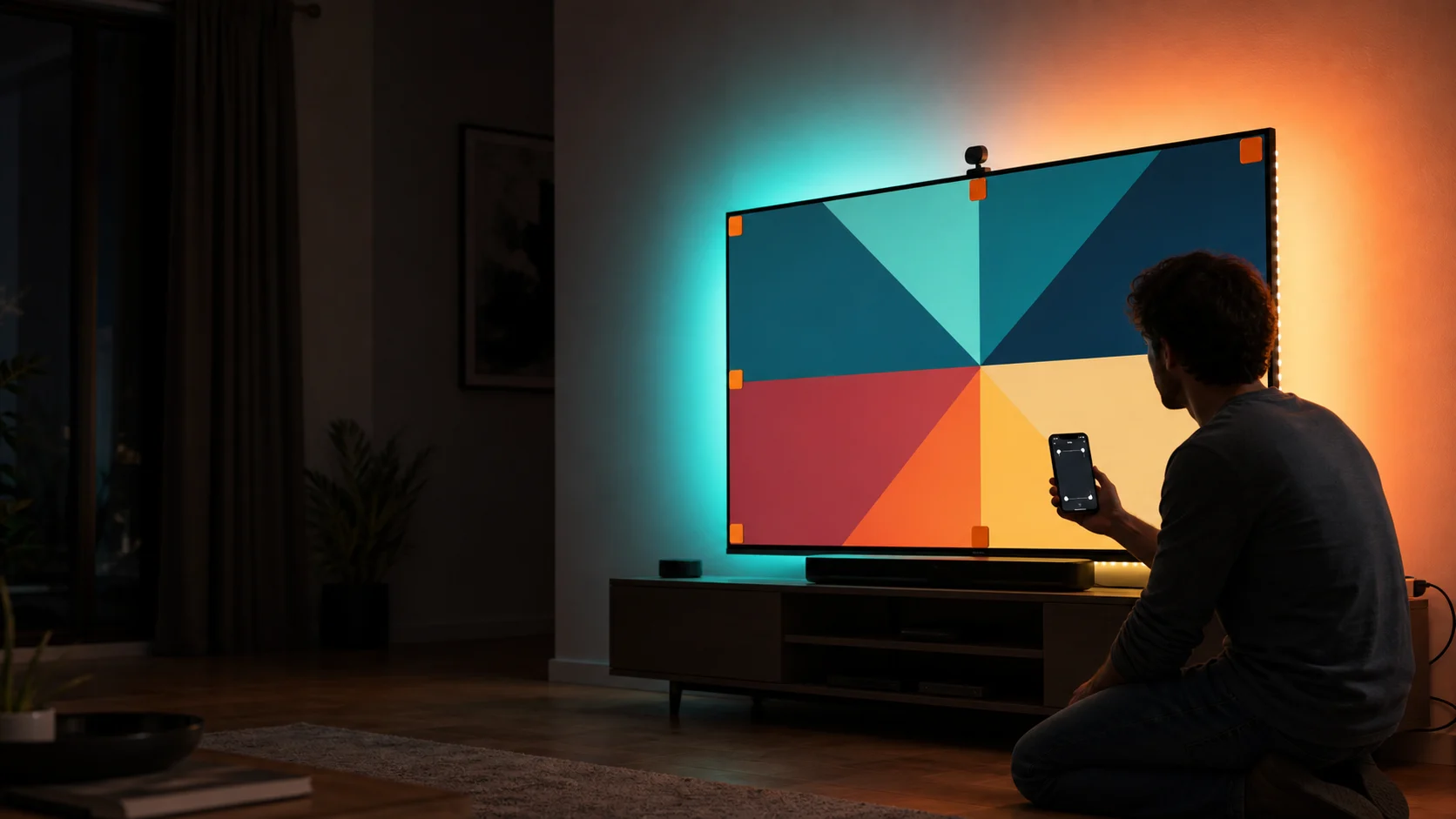
- Use the temporary foam calibration markers in a dim, reflection-controlled room, then set every on-screen corner carefully in the Govee Home app.
- Test white balance, saturation and relative brightness with familiar content. More intense colour is not automatically more accurate or comfortable.
The kit supplies the effect; the room supplies the projection surface
Hardware
- Included system
- 11.8-foot RGBICW strip, fisheye camera, control box, power adapter, clips and calibration pieces
- Still required
- Compatible 55–65-inch TV, clean rear surface, secure camera perch and nearby outlet
Control
- Included system
- Govee Home app, Bluetooth, 2.4GHz Wi-Fi and supported voice control
- Still required
- Phone for setup, network credentials and time for calibration and tuning
Backlight 3 Lite, Backlight 3 or HDMI sync box?
Budget
- Choose 3 Lite H6099
- A single-camera kit and essential reactive effect are enough
- Choose the alternative
- Compare the newer Backlight 3 or Pro when improved camera hardware and higher performance justify cost
Sources
- Choose 3 Lite H6099
- Built-in apps and every visible TV source must sync
- Choose the alternative
- Choose HDMI sync when compatible external sources dominate and camera-free precision matters
Aesthetics
- Choose 3 Lite H6099
- A top camera and rear control hardware are acceptable
- Choose the alternative
- Choose a static white bias light for a cleaner, calmer and more colour-accurate viewing aid
Quick answers before gifting
Which TV size does H6099 fit?
This guide targets the 55–65-inch H6099 configuration with an 11.8-foot strip. Govee also sells other size variants; do not assume a 75–85-inch or newer model listing contains the same strip.
Does it need an HDMI connection?
No. The camera observes the TV screen, so the kit can react to built-in streaming apps, broadcasts and connected devices without reading their HDMI signal.
Will the colours match perfectly?
No. Camera angle, fisheye correction, reflections, ambient light, picture mode and app calibration all affect the result. Treat it as an immersive effect rather than a reference-grade colour instrument.
Can the camera go below the TV?
Some setups use alternate placement, but follow the current H6099 instructions and app orientation options. A non-standard position needs full recalibration and must not obstruct ventilation or viewing.
Does it work without Wi-Fi?
The system has local controls and Bluetooth functions, but initial app pairing, calibration, updates, remote features and integrations may require 2.4GHz Wi-Fi. Buy for the supported connected workflow, not as a fully offline strip.
Sources
- Govee: TV Backlight 3 Lite H6099 user manual — Official H6099 installation, 55–65-inch power, camera calibration, app and Canadian compliance documentation; checked August 6, 2026.
- Govee Canada: Canadian TV Backlight 3 Lite listing — Current Canadian product and 55–65-inch variant availability reference.
- Android Central: Govee TV Backlight 3 Lite review — Independent strip sizing, camera, RGBICW, setup, brightness and app assessment.
- iPhone in Canada: Govee TV Backlight 3 Lite review — Canadian hands-on calibration, thin-TV camera placement, adhesive and picture-mode evaluation.
Exact-product Amazon.ca search for Govee TV Backlight 3 Lite H6099 for 55–65-inch TVs. As an Amazon Associate, XmasGoat earns from qualifying purchases. Verify Backlight 3 Lite, H6099 and 55–65-inch size—not the 75–85-inch kit, Backlight T2, newer Backlight 3/Pro, strip-only or camera accessory—plus complete box contents, Canadian plug and warranty, seller, new condition and returns.